Cursor vs Claude Code: The Ultimate Comparison
Compare Cursor and Claude Code across features, code generation, debugging, architecture analysis, and real-world use cases. Which AI coding tool is right for you?
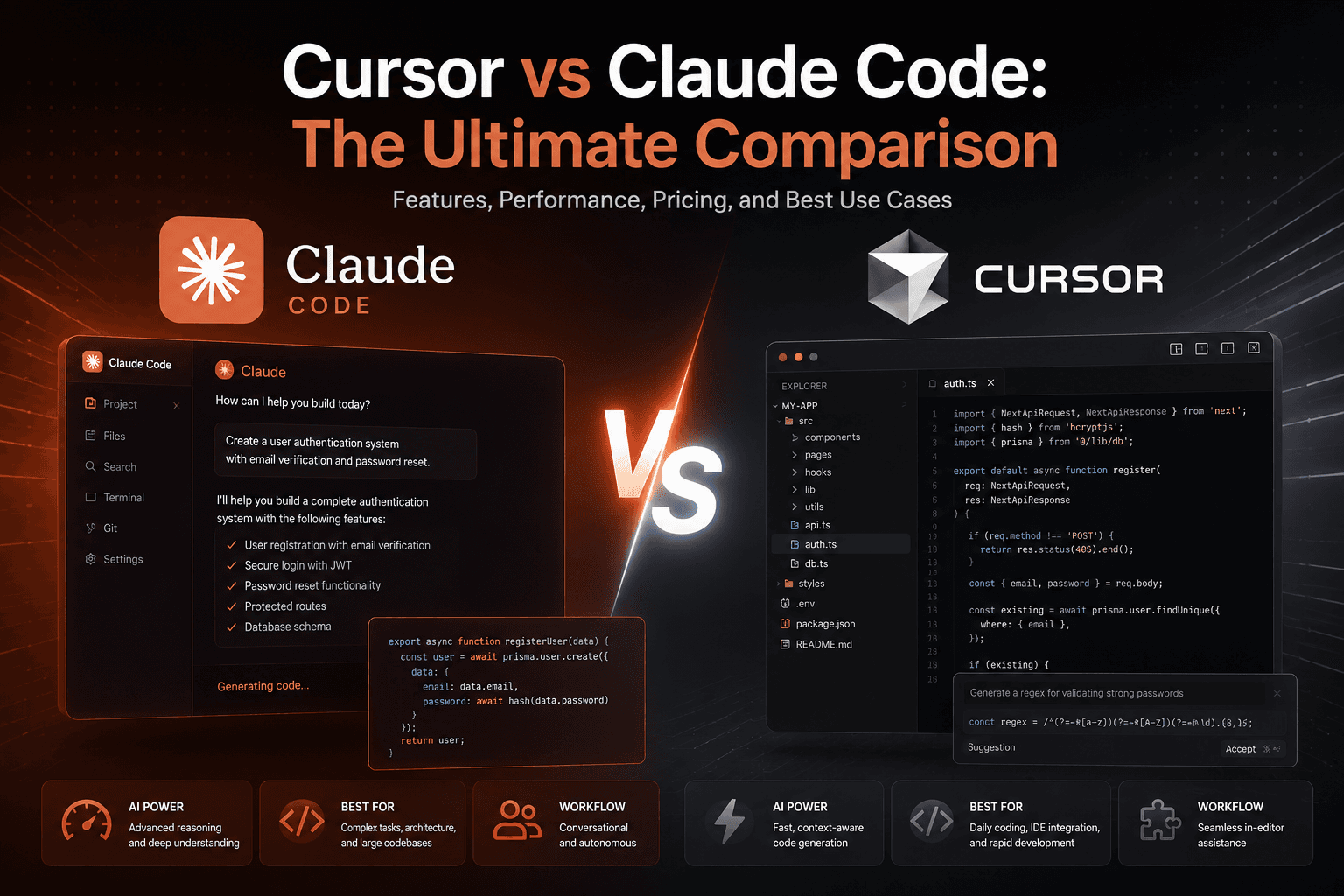
Last updated: May 2026
Artificial intelligence is transforming software development at an unprecedented pace. What once required hours of manual coding can now be completed in minutes with AI-powered development tools. Among the platforms leading this revolution, Cursor and Claude Code have emerged as two of the most popular solutions for developers, startups, agencies, and engineering teams.
While both tools leverage advanced AI models to accelerate software development, they approach coding assistance in different ways. Understanding their strengths, limitations, and ideal use cases can help developers choose the right platform for their workflow.
In this comprehensive comparison, we'll explore how Cursor and Claude Code perform across coding capabilities, user experience, productivity, collaboration, and real-world software development scenarios.
What Is Cursor?
Cursor is an AI-first code editor built on top of Visual Studio Code. It integrates advanced AI capabilities directly into the development environment, allowing developers to generate code, edit files, explain logic, fix bugs, and navigate large codebases through natural language commands.
Unlike traditional code assistants that only provide autocomplete suggestions, Cursor functions as an intelligent development partner capable of understanding entire projects.
Key features include:
- AI-powered code generation
- Context-aware editing
- Multi-file modifications
- Codebase understanding
- Intelligent refactoring
- Inline code explanations
- Bug detection and fixing
- Integrated chat assistance
Cursor has become particularly popular among startups and developers who want a seamless AI-assisted coding experience inside a familiar editor.
What Is Claude Code?
Claude Code is Anthropic's AI-powered coding environment designed to help developers interact with software projects through conversational commands and advanced reasoning capabilities.
Rather than focusing primarily on editor integration, Claude Code emphasizes deep understanding of project structure, architecture, and complex development tasks.
It excels at:
- Code generation
- Architecture planning
- Refactoring large systems
- Debugging complex issues
- Documentation creation
- Test generation
- Repository analysis
- Development workflow automation
Claude Code is particularly valued for its strong reasoning abilities and its ability to handle larger contexts than many competing AI coding tools.
User Interface and Developer Experience
Cursor
One of Cursor's biggest advantages is familiarity.
Because it is based on Visual Studio Code, developers can immediately begin working without learning an entirely new environment.
Benefits include:
- Familiar interface
- Existing VS Code extensions
- Fast onboarding
- Minimal workflow disruption
- Native development experience
For developers already using VS Code, transitioning to Cursor often requires little to no adjustment.
Claude Code
Claude Code takes a more conversational approach.
Developers interact with the AI using natural language instructions to perform tasks, analyze codebases, and generate solutions.
Advantages include:
- Powerful conversational workflows
- Deep project understanding
- Natural language interaction
- Architecture-focused assistance
However, some developers may require additional time to adapt their workflows compared to Cursor's editor-centric experience.
Winner: Cursor - For ease of adoption and day-to-day coding convenience, Cursor generally provides the smoother user experience.
Code Generation Capabilities
Both platforms generate high-quality code, but their strengths differ.
Cursor
Cursor performs exceptionally well when developers need:
- Rapid implementation
- Component creation
- UI development
- API generation
- Refactoring existing code
- Quick bug fixes
Its inline editing capabilities make iterative development extremely efficient.
Claude Code
Claude Code shines when tasks require:
- Complex reasoning
- Multi-step implementation
- Large-scale architecture planning
- Understanding business requirements
- System design decisions
It often produces more comprehensive solutions for complicated engineering challenges.
Winner: Claude Code - For sophisticated coding tasks requiring deeper reasoning, Claude Code typically has the edge.
Understanding Large Codebases
As software projects grow, understanding existing architecture becomes increasingly important.
Cursor
Cursor provides strong codebase awareness and can navigate large repositories effectively.
Capabilities include:
- File search
- Cross-reference analysis
- Context-aware editing
- Multi-file updates
However, context limits can occasionally affect performance on extremely large projects.
Claude Code
Claude Code is widely recognized for its ability to reason across extensive codebases and maintain context throughout complex discussions.
It can:
- Analyze architecture patterns
- Explain system interactions
- Identify dependencies
- Suggest structural improvements
- Understand business logic
This makes it particularly valuable for mature software products and enterprise applications.
Winner: Claude Code - For repository-level understanding and architectural analysis, Claude Code generally performs better.
Refactoring and Code Quality
Maintaining clean, scalable software requires continuous refactoring.
Cursor
Cursor excels at:
- Local refactoring
- Function optimization
- Component restructuring
- File-level improvements
Its editor integration makes refactoring workflows highly efficient.
Claude Code
Claude Code approaches refactoring from a broader perspective.
It can evaluate:
- Design patterns
- Architectural decisions
- Dependency structures
- Maintainability concerns
Its recommendations often extend beyond individual files and address systemic improvements.
Winner: Claude Code - For large-scale refactoring and software architecture improvements, Claude Code offers more strategic guidance.
Debugging and Problem Solving
Debugging remains one of the most valuable applications of AI in software development.
Cursor
Cursor is highly effective for:
- Identifying syntax errors
- Fixing implementation bugs
- Explaining stack traces
- Suggesting code corrections
Developers can quickly iterate without leaving the editor.
Claude Code
Claude Code excels when debugging involves:
- Multiple systems
- Complex logic chains
- Architectural issues
- Unexpected edge cases
Its reasoning capabilities often help uncover root causes rather than merely addressing symptoms.
Winner: Claude Code - For difficult debugging scenarios, Claude Code generally provides deeper analysis.
Productivity and Development Speed
Cursor
Cursor is optimized for rapid execution.
Developers can:
- Generate code instantly
- Edit files through prompts
- Refactor quickly
- Stay within a single interface
This creates an extremely efficient development loop.
Claude Code
Claude Code is often more deliberate.
It may spend additional time analyzing requirements and generating comprehensive responses.
While this can improve solution quality, it may reduce speed for smaller tasks.
Winner: Cursor - For daily development productivity and fast implementation cycles, Cursor usually performs better.
Learning Curve
Because of its VS Code foundation:
- Setup is simple
- Familiar workflows remain intact
- Existing shortcuts continue working
- Minimal retraining is required
Claude Code often requires developers to think differently about interacting with software projects.
Teams may need time to optimize prompts and conversational workflows.
Winner: Cursor - Most developers can become productive with Cursor more quickly.
Best Use Cases for Cursor
Cursor is ideal for:
- Frontend development
- Full-stack web applications
- Startup MVPs
- Rapid prototyping
- Agency development work
- Daily coding tasks
- Individual developers
- Small engineering teams
Its speed and editor integration make it an excellent choice for hands-on software creation.
Best Use Cases for Claude Code
Claude Code is particularly valuable for:
- Enterprise software
- Large repositories
- Architecture reviews
- Technical planning
- System migrations
- Advanced debugging
- Documentation generation
- Senior engineering workflows
Which Tool Is Better for Startups?
Startups typically prioritize:
- Speed
- Cost efficiency
- Rapid iteration
- MVP development
For these goals, Cursor often provides the most immediate productivity gains.
Its ability to accelerate implementation and reduce development friction makes it particularly attractive for early-stage companies.
Which Tool Is Better for Enterprises?
Enterprise environments typically prioritize:
- Architecture quality
- Maintainability
- Security
- Long-term scalability
In these situations, Claude Code's deeper reasoning capabilities often provide greater value.
Its ability to understand large systems and evaluate architectural decisions can significantly improve engineering outcomes.
The Future of AI-Assisted Development
The competition between Cursor and Claude Code reflects a broader shift in software engineering.
Developers are increasingly moving from manually writing every line of code toward collaborating with intelligent systems that accelerate development and enhance decision-making.
Future AI coding platforms will likely combine:
- Real-time code generation
- Architectural reasoning
- Automated testing
- Security analysis
- Deployment automation
- End-to-end software creation
Both Cursor and Claude Code are helping define this future.
Final Verdict
Choosing between Cursor and Claude Code ultimately depends on how you work.
Choose Cursor if you want:
- Maximum development speed
- Seamless editor integration
- Faster coding workflows
- Efficient MVP development
- A familiar VS Code experience
Choose Claude Code if you want:
- Superior reasoning capabilities
- Better architecture analysis
- Deep codebase understanding
- Advanced debugging support
- Strategic engineering guidance
For many professional developers, the best solution is not necessarily choosing one over the other. Cursor and Claude Code can complement each other effectively—Cursor handling rapid implementation while Claude Code assists with planning, architecture, and complex problem-solving.
As AI-powered development continues to evolve, both platforms are likely to remain among the most influential tools shaping the future of software engineering.
Related Articles

ERP vs CRM: What's the Difference?
Understand the key differences between ERP and CRM systems: what each one does, their benefits, use cases, costs, the role of AI, and how to decide which system (or both) your business actually needs.

Custom CRM Development: Complete Guide
Everything businesses need to know about custom CRM development: what it is, benefits, essential features, AI-powered capabilities, costs, the development process, and how to decide if building a custom CRM is right for your company.